Stop Hitting Refresh: Live Reload in ODAC.JS
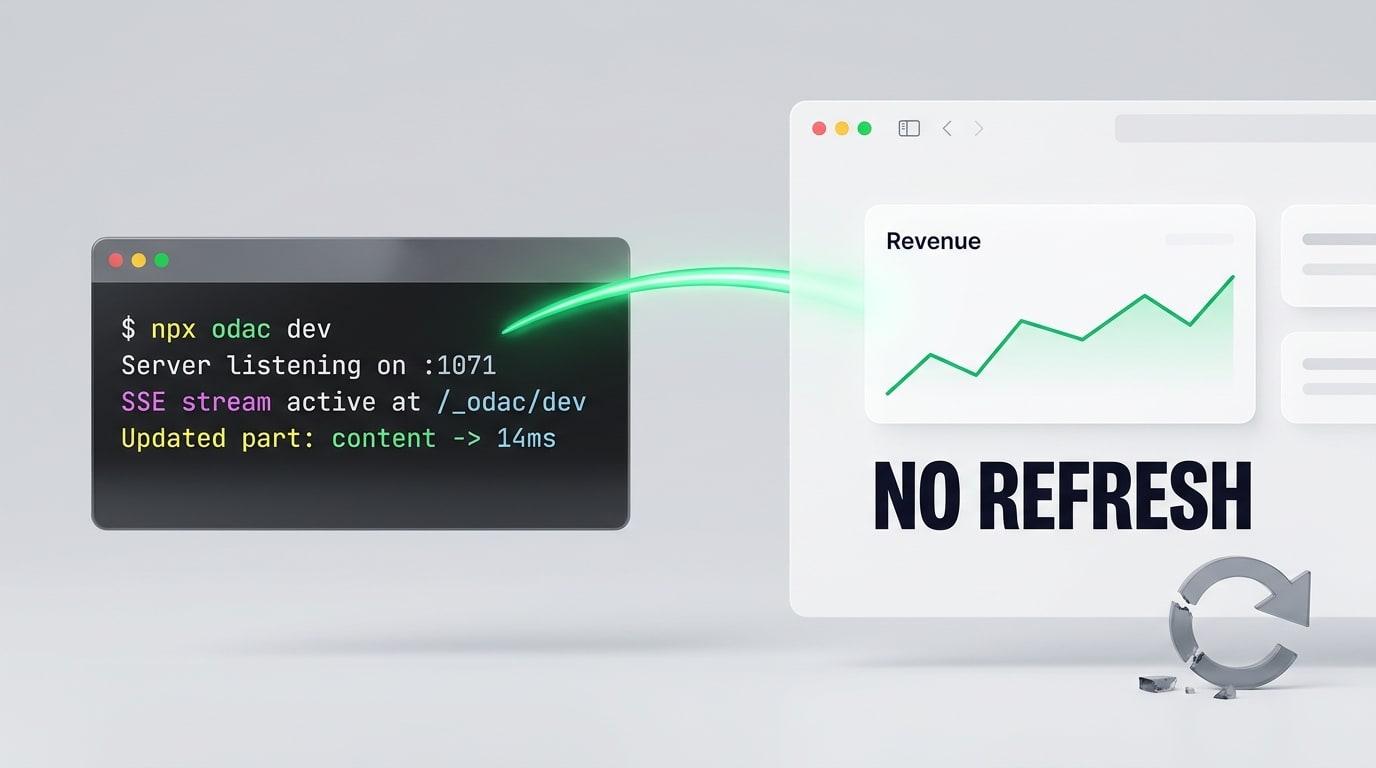
Hot reloading on the server only solves half the feedback loop. For months, running npx odac dev automatically reloaded your routes, controllers, and classes while compiling Tailwind CSS in the background, yet one stubborn piece of muscle memory refused to die: saving a file, switching windows, and hammering Cmd+R.
Every manual refresh came with a tax. You lost your scroll offset halfway down a long dashboard, wiped out half-filled form inputs, and reset client-side UI state just to verify a spacing tweak or a controller adjustment.
ODAC.JS v1.8.4 eliminates that round trip completely. In debug mode, open browser tabs listen to your saves out of the box and apply the smallest surgical update the change actually requires, with zero configuration, zero bundler plugins, and zero production overhead.
Show Me The Code
You do not need to install a watcher package, configure a proxy port, or inject a development script into your templates. Start the development server as usual:
npx odac dev
When your controller renders a page using a skeleton layout in skeleton/main.html, ODAC.JS handles the live connection automatically. Here is a standard skeleton layout with semantic wrappers around uppercase placeholders:
<!-- skeleton/main.html -->
<!DOCTYPE html>
<html lang="en">
<head>
  <meta charset="UTF-8">
  <title>Analytics</title>
  <link rel="stylesheet" href="/assets/css/app.css">
  <script src="/assets/js/odac.js"></script>
  <script src="/assets/js/app.js"></script>
</head>
<body>
  <header>
    {{ HEADER }}
  </header>

  <main>
    {{ CONTENT }}
  </main>

  <footer>
    {{ FOOTER }}
  </footer>
</body>
</html>
Wire a route in route/www.js to your page controller or a controller-less view configuration:
// route/www.js
Odac.Route.page('/dashboard', {
  skeleton: 'main',
  header: 'main',
  content: 'dashboard',
  footer: 'main',
  title: 'Revenue Dashboard'
})
Open /dashboard in your browser and save view/content/dashboard.html. Only the <main> element updates, your scroll position stays pinned where you left it, and <header> and <footer> never even flinch.
Why Full-Page Reloads Were Never Enough
Most frameworks solve live reload in one of two extremes. Either they slap a naive file watcher onto window.location.reload(), destroying your DOM state on every keystroke, or they wrap your entire application in a heavy client-side bundler runtime that shadows your server architecture.
We refused both compromises. ODAC.JS is built around server-driven HTML rendering and zero-config AJAX navigation, which means the framework already knows how to partition a skeleton into independent view parts and swap only what changed between pages.
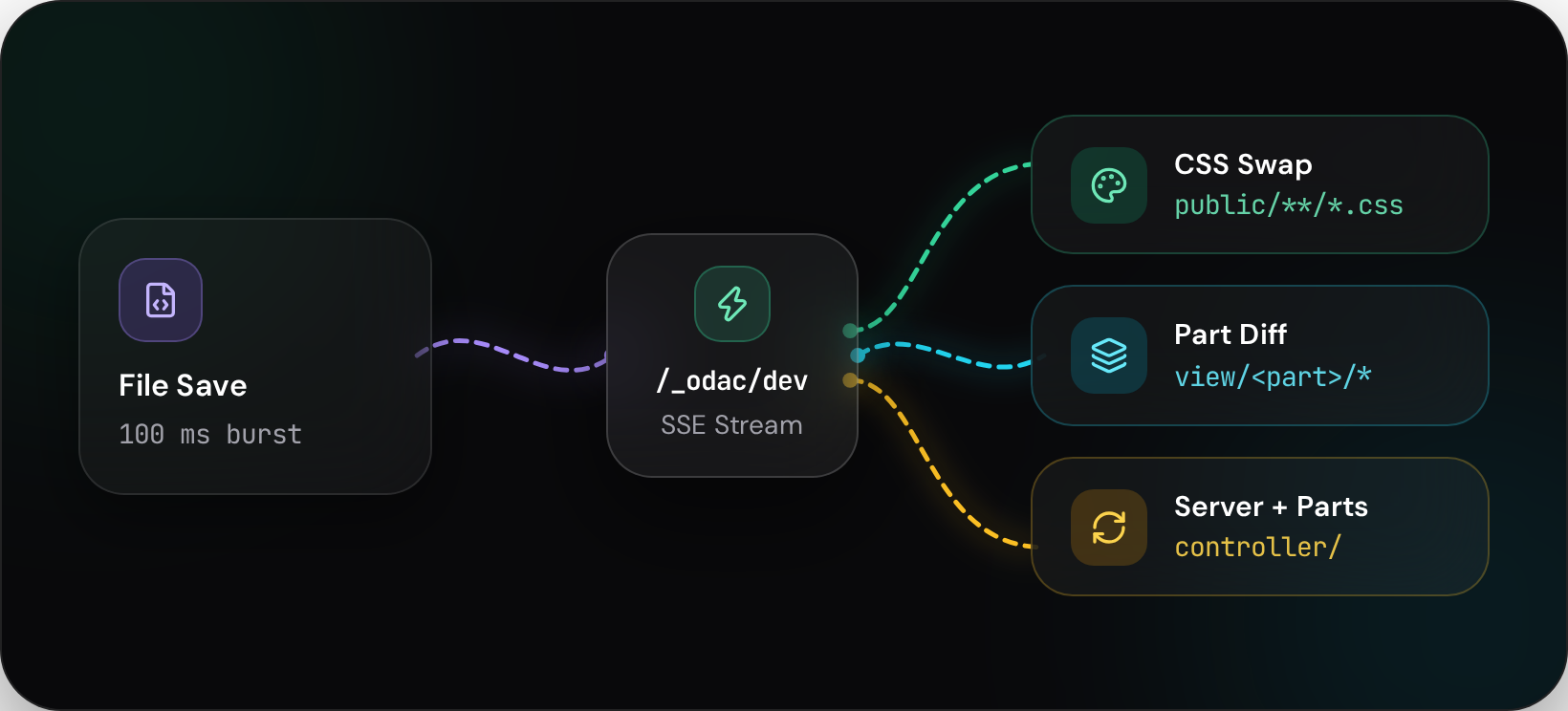
Instead of inventing a parallel HMR runtime, ODAC.JS v1.8.4 connects recursive fs.watch events and a lightweight Server-Sent Events (SSE) stream at /_odac/dev directly to that existing navigation pipeline. When a file hits disk, the server classifies what changed, waits for any backend reload to settle, and pushes a minimal update instruction to every connected tab.
Surgical Updates: Matching the Scope to the Save
Not every file save deserves the same blast radius. A CSS tweak has no business re-running your database queries, and editing a content partial should never reset a shared navigation bar.
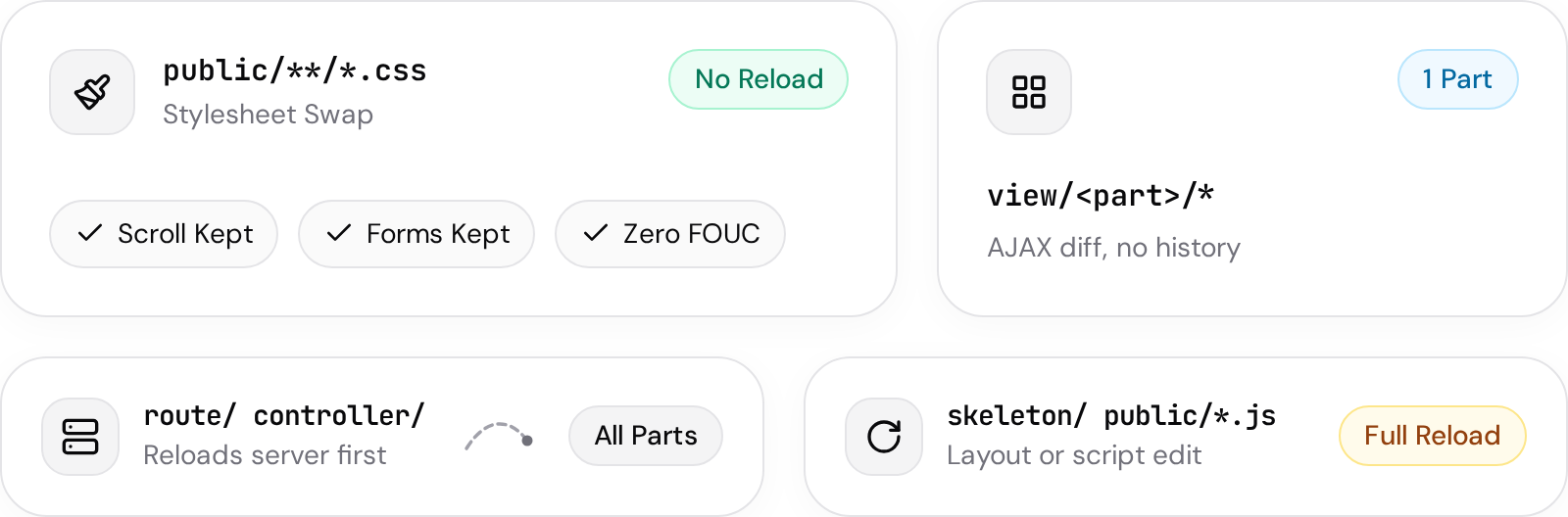
ODAC.JS categorizes each save into one of five update scopes so the browser always performs the least disruptive work possible:
- Stylesheets (
public/**/*.css): When Tailwind CSS v4 finishes compilingview/css/app.cssintopublic/assets/css/app.css, the browser clones the matching<link>tag with a fresh cache-busting parameter and removes the old stylesheet only after the new one finishes loading. You get instant visual updates with zero unstyled flash, while scroll position, form input, and JavaScript memory stay untouched. - Individual Part Views (
view/content/...,view/header/..., etc.): Editing a part template triggers an AJAX refresh for only that part. Other parts stay untouched, your scroll coordinates stay locked in place, and no extra entry is pushed onto browser history. - Shared Views (
view/components/...or top-levelview/files): Because shared templates and components can appear across multiple regions, ODAC.JS refreshes every navigable part on the page in place without triggering a hard browser reload. - Backend Modules (
route/,controller/,class/,middleware/,hook/): Reloading the browser before Node.js picks up your edited controller would just render stale markup. ODAC.JS reloads the changed backend modules on the server first, then instructs open tabs to re-render all parts in place. - Skeletons and Compiled Scripts (
skeleton/...,public/**/*.js): Structural layout edits and compiled frontend bundles (view/js/compiled topublic/assets/js/) alter the outer document or global runtime, so ODAC.JS triggers a clean full-page reload. If you restart the server manually, open tabs also detect the reconnect and reload once the server is back.
Rapid bursts of saves, such as an editor formatting on save right as Tailwind compiles CSS, coalesce within a 100 ms window into a single update. Sub-second re-saves on backend files also reload immediately instead of getting skipped by stale timestamp windows, and syntax errors during a half-finished save are isolated so the server keeps running cleanly until you finish typing.
Writing Live-Reload-Safe Frontend Handlers
Because part refreshes flow through the exact same AJAX navigation pipeline as link clicks, lifecycle callbacks registered with Odac.action() run again after each part refresh. That design keeps navigation behavior and development live reload 100% consistent, provided your page handlers are idempotent.
Put one-time global bindings, such as delegated document listeners, inside start, and guard widget initialization inside load or page handlers so running them twice never attaches duplicate listeners:
// view/js/app.js
Odac.action({
  start: function () {
    // Runs once when the page boots: safe for global delegated events
    document.addEventListener('click', function (e) {
      const btn = e.target.closest('[data-refresh-stats]')
      if (btn) Odac.load('/dashboard', null, false)
    })
  },
  page: {
    dashboard: function () {
      // Re-runs whenever view/content/dashboard.html or controller code refreshes
      const chart = document.getElementById('revenue-chart')
      if (chart && !chart.dataset.initialized) {
        chart.dataset.initialized = 'true'
        initRevenueChart(chart)
      }
    }
  }
})
Notice the third argument in Odac.load('/dashboard', null, false): passing false keeps the browser history stack clean, matching the exact behavior of ODAC.JS's part live reload.
Zero Production Footprint and Practical Edge Cases
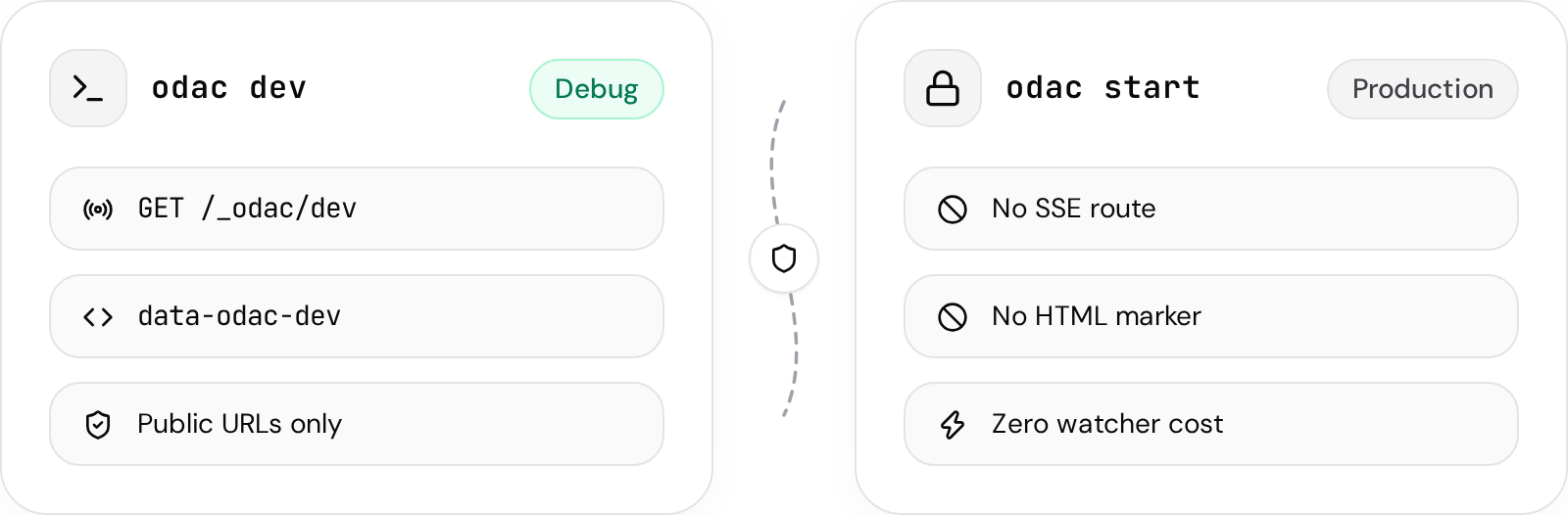
Developer ergonomics should never leak into production binaries or expose server internals. In ODAC.JS, live reload exists exclusively in debug mode (any run where NODE_ENV is not production):
- Nothing ships in production: When you start your app with
npx odac start, neither thedata-odac-devmarker on<html>nor the/_odac/devSSE route is registered. No file watchers run, and no extra bytes reach visitors. - No leaked filesystem paths: Even in development, the SSE payload only emits part names and public stylesheet URLs, never internal server file paths.
- Intentional watch boundaries: Source directories like
view/css/,view/js/, andview/mail/are not watched directly for browser reloads. Instead, ODAC.JS watches their compiled output inpublic/so refreshes never race ahead of Tailwind or esbuild. Saved translation files inlang/appear on your next navigation. - Pages without navigable parts: If a route renders standalone HTML without skeleton-wrapped part containers, ODAC.JS automatically falls back to a standard full-page reload.
- Deeply nested helper modules and VM mounts: Top-level classes in
class/hot-reload automatically, while nested submodules loaded from deeper folders stay cached until a server restart. On virtualized or network filesystems wherefs.watchemits no kernel events, ODAC.JS still hot-reloads your server code within 5 seconds, though you will need a manual browser refresh in those environments.
With ODAC.JS v1.8.4, the gap between saving a file and seeing the result in your browser shrinks to the exact boundary of what changed. Keep your hands on the keyboard, leave Cmd+R behind, and let odac dev handle the rest.